How to Install a Panic Button: The Best Security Tool for Your Home and Business

In a world where we are surrounded by threats, it is important to know how to protect yourself and your loved ones. In technologically advanced countries, there are many methods of protection – from simple locks on doors to complex security systems for homes and offices. But what to do if a threat is approaching and you are outside?
Contents of the article:
Fortunately, modern technology provides us with new tools for protection. One such tool is a panic button – a device that, when pressed, sends a signal for help to pre-configured phones. In this article we will look at how install a panic button and what benefits it provides.
What is a panic button and how does the device work?
A panic button is a small device that you can carry with you or install in a convenient location in your home or office. When you press a button, the device sends an SMS message or call to pre-configured phones or a monitoring platform.
An important advantage of a panic button is its portability – you can carry it with you anytime and anywhere. Additionally, most devices are battery operated, making them easy to use.
What is a panic button?
A panic button is a special device designed to call emergency services in the event of a threat to human life or health. It can be installed both in the home and in the office, school, hospital, outdoors, etc.
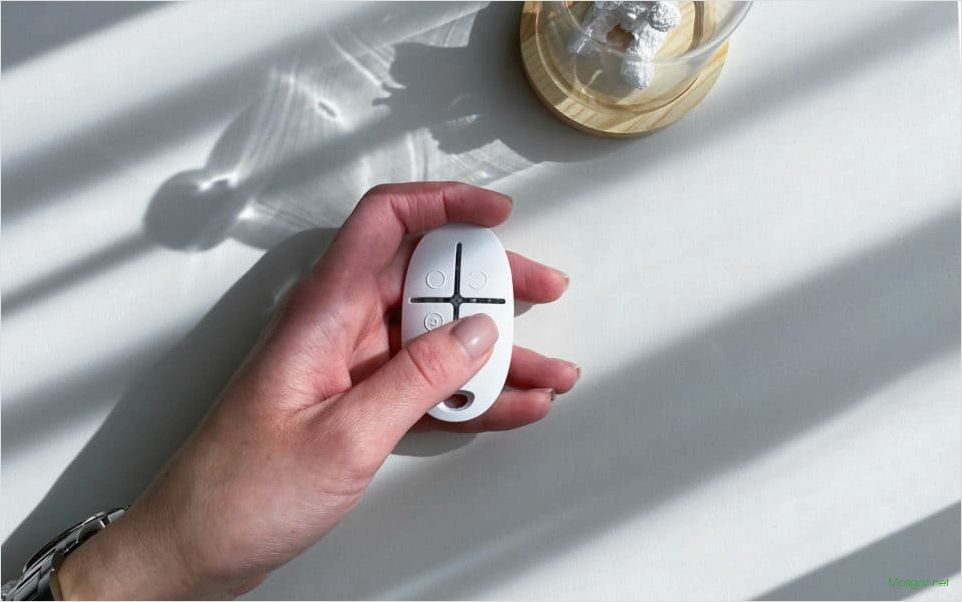
Typically, a panic button is a small remote control with one button or several buttons for calling various services. Pressing the button results in a help signal being sent to a predetermined location, which informs about the location and possible threat.
The panic button can be used to call medical assistance, fire brigade, police, security or other emergency services depending on the situation. This device helps to quickly and effectively respond to threats and protect people’s lives and health.
Methods for installing a panic button
Installing a panic button can be done in various ways depending on the needs and conditions of its use. Let’s look at several popular methods.

- Installation on a desktop computer is the most common option. To do this, you need to install additional software and connect the button to the USB port of your computer.
- Installation on a mobile device – this option is suitable for those who do not leave their mobile device for a minute. The button can be installed on both a phone and a tablet. The only requirement is Internet access.
- On-site installation is an option for sites that provide services within the virtual space and may pose threats to its visitors. The panic button can be installed on any page of the site using a special code.
Each of these methods has its own advantages and disadvantages, so their choice depends on the goals and specifics of use.
How to use the panic button
A panic button is a simple and effective way to protect yourself in unexpected situations. The button can be installed on your phone or on a special device that you can carry with you. When you press the button, you immediately send an SOS signal to your contacts and/or emergency services.
To properly use the panic button, you must first configure the list of recipients who will receive alerts in the event of an emergency. The list should be made up of loved ones you trust and emergency services that will quickly respond to your call.
If you find yourself in a dangerous situation, press the button as quickly as possible. Some devices can even automatically send an SOS if you don’t cancel it after a certain amount of time. This can be very useful if you are unconscious or unable to press the button with your hands.
In addition, do not forget to check the operation of the panic button from time to time. Make sure the list of recipients is up to date and that the SOS is actually being sent to the correct numbers. This will help you be confident that the button works and that you can rely on it when needed.
Benefits of using a panic button
Security: Installing a panic button allows you to quickly and effectively respond to unexpected security situations. This is especially convenient for people in public places, such as shopping centers, banks, offices, etc. A panic button is a reliable protection tool that allows you to call for help quickly and at a convenient time.
Risk Mitigation: Installing a panic button helps reduce risks and prevent potential problems. For example, if you notice suspicious behavior from visitors or employees, you can press the button and call security. This way, you can prevent problems before they even arise.
Smart Use of Technology: Installing a panic button is an example of the smart use of technology to protect people. Modern communication methods allow for the rapid delivery of information, reducing response times. Furthermore, installing a panic button helps reduce the workload of security personnel, increasing their efficiency.

Ease of Use: Installing a panic button requires no special knowledge or skills. Most models have a simple and intuitive interface, making them accessible to everyone. Furthermore, these buttons can be placed virtually anywhere, making them very convenient and practical to use.
Social Responsibility: Installing a panic button is an expression of social responsibility and a demonstration of concern for public safety. These actions help create a comfortable and safe atmosphere wherever they are installed. Furthermore, they make the situation more predictable and controllable, which helps reduce stress and anxiety in visitors or employees.
Choosing the right button
When installing a panic button, choosing the right button is crucial. The button should be large enough to be easily pressed in an emergency.
It’s also important that the button is bold and eye-catching. Using bright colors and symbols will help it stand out from other elements.
The material the button is made of is also important. It should be durable enough to resist breakage and damage over time. Plastic or metal is recommended.
Pay attention to the shape of the button. It should be comfortable to press, regardless of hand position. A round shape is recommended, as it’s most comfortable for finger pressure.